
Volume At Price Threshold Alert Plus
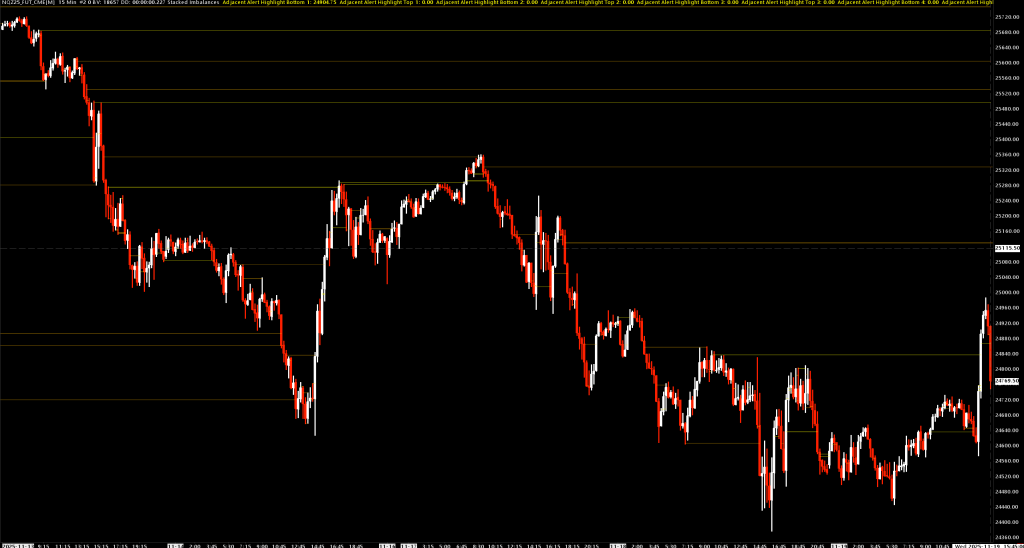
An enhanced version of Sierra Chart's built-in Volume At Price Threshold Alert V2 study with additional filtering capabilities.
What's New
Minimum Volume Value for Ratio Comparisons
This input adds a volume filter specifically for ratio-based comparison methods:
- Ask Volume Bid Volume Ratio
- Ask Volume Bid Volume Diagonal Ratio
When set to a value greater than 0, price levels with total volume below this threshold are excluded from ratio calculations.
Why this matters: Ratio comparisons can produce misleading signals at low-volume price levels. For example, a price level with 2 ask volume and 1 bid volume produces a 200% ratio—identical to 200 ask / 100 bid—but the former is statistically insignificant noise while the latter represents genuine order flow imbalance.
How it works:
- For standard ratio comparisons: The price level's total volume must meet or exceed the minimum
- For diagonal ratio comparisons: Both the current price level AND the adjacent level must meet the minimum threshold
Default: 0 (disabled, all price levels included)
Recommended settings: Start with values between 10-50 depending on your instrument's typical volume profile and adjust based on signal quality.
All Inputs
| Input | Description |
|---|---|
| Comparison Method | Select volume metric to evaluate (see below) |
| Volume Threshold | Trigger value for volume/trade count comparisons (minimum 0) |
| Volume Alert Number | Audio alert sound (0 = no sound) |
| Draw Extension Lines | None, All Alerts, or Adjacent group options |
| Draw Extension Lines With Transparent Range | Show price range as transparent rectangle |
| Percentage Threshold | Trigger value for ratio comparisons (positive = ask dominance, negative = bid dominance) |
| Minimum Volume Value for Ratio Comparisons | (NEW) Minimum total volume required at price level for ratio calculations |
| Additional Volume Threshold | Second threshold for "Bid and Ask Separately" mode |
| Enable Zero Bid/Ask Compares | Allow ratio calculations when one side is zero |
| Zero Value Compare Action | How to handle division by zero (Set 0 to 1, or Set to +/-1000%) |
| Highlight Adjacent Alerts Minimum Group Size | Minimum consecutive alerts to highlight as group |
| Draw Extension Lines until End of Chart | Extend lines beyond price intersection |
| Number of Days to Calculate | Lookback period for calculations |
Comparison Methods
- Bid Volume - Alert when bid volume at a price meets threshold
- Ask Volume - Alert when ask volume at a price meets threshold
- Total Volume - Alert when combined volume at a price meets threshold
- Number of Trades - Alert when trade count at a price meets threshold
- Ask Volume Bid Volume Difference - Alert when (Ask - Bid) meets threshold
- Ask Volume Bid Volume Diagonal Difference - Compare ask at upper price vs bid at current price
- Ask Volume Bid Volume Ratio - Alert when ask/bid percentage meets threshold (supports Minimum Volume filter)
- Ask Volume Bid Volume Diagonal Ratio - Diagonal ratio comparison (supports Minimum Volume filter)
- Bid Volume and Ask Volume Separately - Both thresholds must be met simultaneously
Use Cases
Filtering Noise in Imbalance Detection
Set Minimum Volume Value for Ratio Comparisons to filter weak signals:
- Low value (10-20): Light filtering, more signals
- Medium value (30-50): Balanced filtering
- High value (100+): Only significant volume levels
Stacked Imbalance Detection
Set Highlight Adjacent Alerts Minimum Group Size to 3+ to identify stacked imbalances where multiple consecutive price levels show the same directional bias.
Installation
- Place
VolumeAtPriceThresholdAlertPlus.dllin your Sierra ChartDatafolder - Add study to chart: Analysis > Studies > Add Custom Study
- Search for "Volume At Price Threshold Alert Plus"
Requirements
- Sierra Chart with Volume at Price data enabled
- Must be applied to main price graph